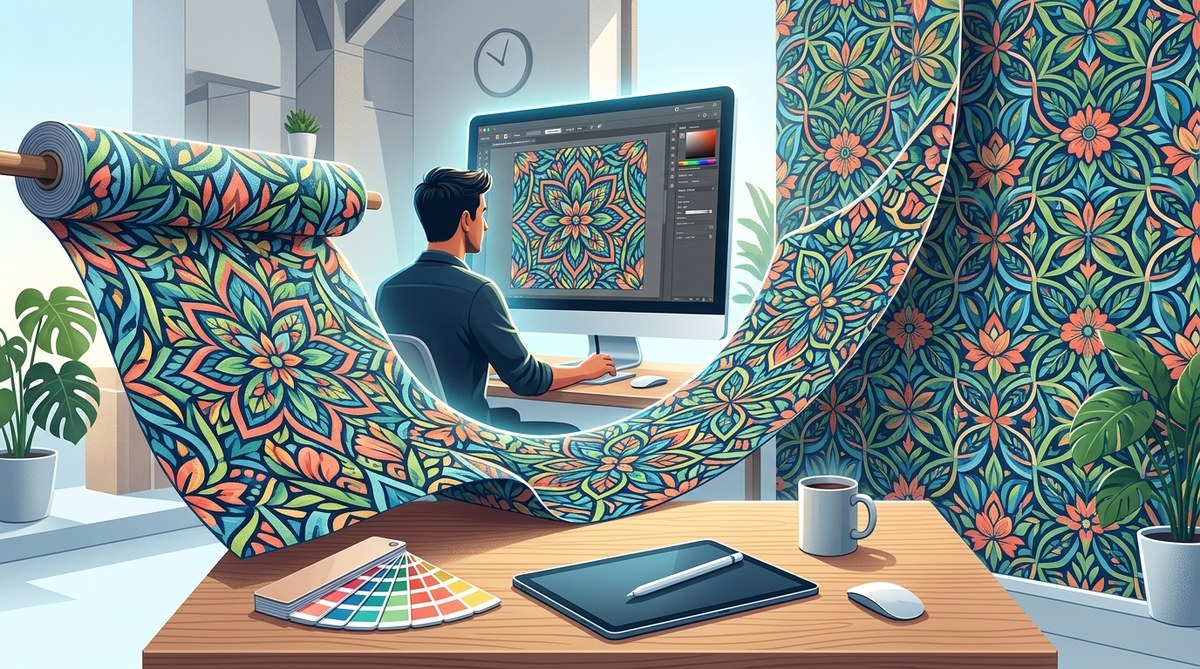
Creating seamless vector patterns for fabric and wallpaper is equal parts technical skill and creative intuition. When done right, your pattern repeats without a visible seam, wrapping around a bolt of fabric or covering an entire wall with perfect flow. But getting that flawless repeat can feel like solving a puzzle. Whether you are a surface pattern designer just starting out or a seasoned graphic designer looking to refine your workflow, this guide will walk you through the process from start to finish. You will learn the core techniques, avoid the most common pitfalls, and gain the confidence to produce repeat patterns that truly shine.
Seamless vector patterns require precision in tile alignment, consistent styling, and smart use of software tools. The magic lies in careful positioning of elements at the edges of your tile so they line up when repeated. By mastering the offset method and checking your work with a pattern fill preview, you can create professional designs for fabric and wallpaper production.
What Makes a Pattern Seamless
A seamless pattern is a single tile that, when repeated side by side, creates an uninterrupted image. The eye should not catch any visible edge or break. For fabric and wallpaper, this is critical. A visible seam looks unprofessional and disrupts the design flow.
The secret is that elements that cross the right edge of your tile must continue onto the left edge. Same for top and bottom. If you place a flower near the top, its leaves need to reappear at the bottom. This mirroring creates continuity without a hard line.
Common Mistakes That Break the Repeat
Many designers fall into the same traps. Knowing them ahead of time saves hours of rework.
| Mistake | Why It Hurts | How to Fix |
|---|---|---|
| Elements too close to the edge | They get clipped or create awkward gaps | Use a larger tile or move elements inward |
| Ignoring the center of the tile | The repeat can look disjointed | Arrange elements so the eye flows through the tile |
| Using raster effects inside vector patterns | Scaling issues and blurry lines | Convert effects to vector or use raster in separate layer |
| Not testing the pattern at full scale | Seams hide in small previews | Fill a large shape with your pattern and zoom out |
If you notice your pattern has visible lines or awkward cutoffs, check these points first. One quick fix is to shift your entire design by half the tile width and height using the offset method. This redistributes elements and often hides problem areas.
Step-by-Step to Create a Seamless Repeat
Let me show you a reliable process that works in most vector applications. I will use Adobe Illustrator as the example, but the logic applies to Affinity Designer, CorelDRAW, and even Procreate.
-
Set up your tile canvas. Create a new document. The size depends on your final use. For fabric, a square tile of 12 x 12 inches at 300 dpi is common. For wallpaper, a larger tile like 24 x 24 inches works better to avoid tiny repeats.
-
Draw your central elements first. Place them away from edges to avoid overlap with the bounding box. You can use any vector shapes, brushes, or imported SVG files.
-
Use the Offset Pattern tool. In Illustrator, select your artwork, then go to Object > Pattern > Make. A pattern options panel appears. From the “Tile Type” dropdown, choose “Grid.” Adjust the width and height to match your tile size. The software will automatically show a repeat preview.
-
Manually handle edge crossing elements. This is the hands-on part. Any object that touches an edge must be duplicated and moved to the opposite side. For example, if a leaf extends past the right edge, copy it and paste it to the left side at the same offset distance. Use the “Transform Each” command to ensure exact movement.
-
Fill a large rectangle with your pattern. Draw a shape that is several times larger than your tile. Assign your new pattern as the fill. Zoom out and look for any seams. If you see one, go back and adjust the offending elements.
-
Save your pattern swatch. Name it clearly and add it to your swatches panel. Now it is ready to use on any shape.
For a deeper look at vector workflow hacks that speed up this process, check out 5 vector art workflow hacks to speed up your design process in 2026. That article covers keyboard shortcuts and batch actions that save serious time.
Tools and Techniques for Better Patterns
There is no single right way to make seamless patterns. Your choice of tool should match your comfort level and the complexity of your design.
- Adobe Illustrator is the industry standard for vector patterns. The Pattern Options panel gives you a live preview and several tile types (grid, brick by row, brick by column, hex by row, etc.).
- Affinity Designer has a similar symbol panel and a powerful offset tool. Its performance on large tiles is excellent.
- Procreate on iPad is great for hand-drawn elements, but you must convert the final artwork to vector using a tool like Vectorizer or export as SVG.
- Inkscape (free) offers a pattern editor through extensions. It takes more steps, but it works.
Beyond the software, mastering anchor points and curves makes your pattern elements flow naturally. Read how to master anchor points and curves for flawless vector lines for a focused lesson on vector precision.
Design Considerations for Fabric vs Wallpaper
Fabric and wallpaper have different constraints.
Fabric patterns must account for the garment’s drape and seams. A pattern that looks great on a flat surface may distort on a sleeve or curve. Designers often use a half-drop repeat for fabric because it reduces obvious repetitions. Wallpaper patterns usually benefit from a straight repeat, but a brick or half-drop can add visual interest. Also, wallpaper must match at the edges of each strip, so the pattern repeat height must align with the room’s standard ceiling height (8 feet in most U.S. homes).
Always ask your printer or manufacturer for their specific requirements. They may want a certain color format (CMYK), bleed, or tile size. Some fabric printers accept only 12 inch tiles, while wallpaper printers may require 24 inches.
If you are creating patterns for a brand, consider how the design will scale across different products. A tiny motif on a wallpaper might look too busy on a throw pillow. Check out how to craft unique vector art for brand identity in 2026 for tips on building a cohesive style.
Expert Advice
“Never trust the preview at 100% zoom. Always fill a large mock-up shape and step back. The seams will reveal themselves when you look at the big picture. I use a 36×36 inch rectangle filled with my pattern to stress-test every design.” — Rachel M., surface pattern designer
Troubleshooting Your Seamless Pattern
Sometimes your pattern looks perfect in the swatch panel but breaks on export. Here is a checklist:
- Check that your tile canvas has no extra strokes or fills outside the artboard.
- Ensure all elements are vector and not linked raster images. Linked images can cause offset errors when the file is moved.
- Verify that your pattern is set to “Tile to Fit” and not “Scale to Fit.”
- Look for stray anchor points. They can create tiny imperfections.
If you are still stuck, consider converting a hand-drawn sketch into vector as a base. This approach gives organic textures that hide small misalignments. Learn how to convert hand-drawn art into vector graphics for a step-by-step method using Image Trace and manual refinement.
Building a Library of Seamless Patterns
Once you have a solid workflow, create a collection of patterns you can reuse. Save each pattern with a descriptive name, tag, and notes on the tile size and repeat type. Over time, this library becomes a valuable asset for client projects and personal work.
Keep an eye on current trends. In 2026, organic shapes, retro florals, and abstract geometry are popular in both fabric and wallpaper. The top trends in vector artwork that every designer should know page can help you stay inspired.
Your Turn to Create
Seamless vector patterns open a world of possibilities for fabric and wallpaper design. The process takes practice, but the reward is a professional repeat that sells. Start with a simple tile containing a few elements. Use the offset method. Test thoroughly. Then scale up to more complex arrangements.
Remember, every pattern you create builds your skill. Don’t be afraid to make mistakes. Each broken seam teaches you something. Open your software, draw one shape, and try the steps above. You will get the hang of it faster than you think.