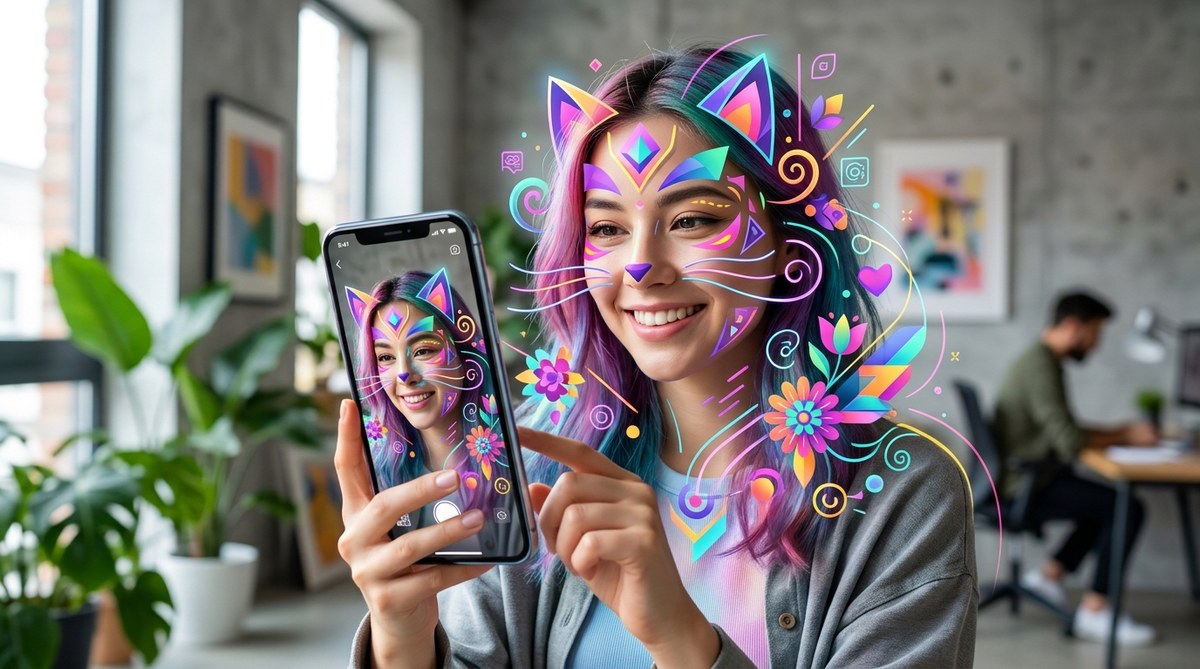
The first time you swipe into an AR filter that makes your eyes shimmer with liquid chrome, or that wraps a geometric mask around your face without a single pixel of lag, you are seeing vector art at work. In 2026, augmented reality filters have moved past novelty and into everyday creative expression. And the engine driving that shift is vector graphics. Unlike raster images that get blurry or pixelated when scaled, vector art stays crisp at any size. That makes it perfect for real-time face tracking, where the software needs to redraw the entire graphic dozens of times per second. For digital artists and AR developers, this is a massive opportunity. The tools are better, the platforms are hungry for content, and the audience expects filters that feel polished, not glitchy.
Vector art is the backbone of modern AR filters because it stays sharp at every scale and loads fast on mobile devices. In 2026, platforms like Instagram, Snapchat, and TikTok prioritize lightweight, scalable graphics. By mastering vector workflows, you can create filters that look professional, run smoothly, and stand out in crowded marketplaces.
Why Vector Graphics Dominate AR Filter Performance
AR filters run on phones. That means limited processing power, battery life to preserve, and a need for instant loading. Vector art solves all three problems. A vector file stores mathematical paths instead of pixel data. So a complex geometric crown might take up only a few kilobytes, while a raster version of the same design could be several megabytes.
Here is what makes vector art the preferred format for AR in 2026:
- Infinite scalability. Resize a vector asset to cover the entire screen or shrink it to a tiny detail. It always renders at the native resolution of the display.
- Small file size. Smaller files mean faster downloads and less memory usage. Users swipe into your filter without the spinning loading icon.
- Smooth animation. Vectors allow for mathematical tweening between keyframes. That creates fluid motion for blinking stars, floating particles, or shifting color gradients.
- Editable after export. If a client wants to change a color or adjust a shape, you can open the original vector file and make the edit without rebuilding the entire filter.
For developers using Spark AR, Lens Studio, or TikTok’s Effect House, importing vector assets (usually as SVGs or Lottie files) is now standard practice. The days of relying solely on PNG sequences are fading.
3 Steps to Build an AR Filter with Vector Art in 2026
If you are new to creating vector art augmented reality filters, follow this numbered process. It works across all major platforms.
-
Design your assets in a vector tool. Use Adobe Illustrator, Figma, or Affinity Designer. Keep your layers organized. Name every group. Use simple paths with fewer anchor points where possible. Complex paths with hundreds of points can slow down real-time rendering. If you need help with the basics, check out this guide on mastering vector art techniques for stunning digital creations.
-
Export as SVG or Lottie JSON. SVG is the most common format for static elements. For animated parts, export as a Lottie animation from After Effects using the Bodymovin plugin. Lottie files are vector-based and play smoothly inside AR frameworks. Avoid exporting raster fallbacks unless absolutely necessary.
-
Import into your AR platform and map to face tracking. In Lens Studio or Spark AR, import your SVG as a material or image asset. Then attach it to a face landmark (nose, eyes, jawline). Set the scale and position. Test on a real device, not just the simulator, to check for lag.
“The biggest mistake I see new AR creators make is using too many anchor points. A smooth curve can be drawn with four points instead of twelve. Your filter will run faster and look cleaner.” — Maria Chen, AR developer and creator of the Viral Chroma Crown filter
Common Mistakes in Vector AR Filter Design
Even experienced vector artists can trip up when translating their work into AR. Here is a table of the most frequent errors and how to fix them.
| Mistake | Why It Happens | How to Fix It |
|---|---|---|
| Blurry edges on mobile | Vector was exported at too low a resolution or with anti-aliasing disabled | Export SVG at 1x scale and let the AR platform handle rendering |
| Filter lags or stutters | Paths contain too many anchor points | Use the Simplify tool in Illustrator to reduce nodes |
| Colors look different on camera | Color space mismatch (RGB vs sRGB) | Set your document to sRGB and test on multiple devices |
| Elements shift off the face | Incorrect face landmark mapping | Double-check which landmark you attached the asset to; use the center of the nose for symmetrical elements |
| File refuses to import | SVG contains unsupported elements like embedded raster images or complex gradients | Flatten or remove any raster content; convert gradients to vector meshes |
If you want to avoid these pitfalls from the start, reading about 7 vector art mistakes that are ruining your designs can save you hours of troubleshooting.
Tools and Workflows for Vector AR in 2026
The toolset for creating vector art augmented reality filters has matured. Here are the most reliable options this year:
- Adobe Illustrator remains the industry standard for creating complex vector shapes. Its Pathfinder tools and Shape Builder make it easy to construct intricate masks and geometric patterns.
- Figma is great for collaborative projects. You can share your vector assets with a team, get feedback in real time, and export SVGs directly.
- After Effects with Bodymovin is the go to for animated vector elements. You build your animation in AE, export it as a Lottie JSON, and import it into your AR project.
- Lens Studio by Snapchat includes built-in vector support and a library of templates to get started.
- Spark AR Studio (Meta) now supports direct SVG import with improved rendering for complex paths.
For a deeper look at how these tools fit into a larger creative practice, the article on 10 vector art tools every designer should master by 2026 covers each one in detail.
Designing for Different AR Platforms
Each platform has its own quirks. Understanding them will help you optimize your vector art before you export.
- Instagram (Spark AR): Supports SVG and Lottie. Keep your total asset size under 4 MB. Use simple gradients. Avoid drop shadows and glows because they can cause rendering issues on older phones.
- Snapchat (Lens Studio): Prefers SVGs with flat colors. Animated elements work best as Lottie files. Snapchat’s face tracking is very precise, so you can attach small vector details to individual cheekbones or eyebrows.
- TikTok (Effect House): Accepts SVGs and Lottie. TikTok’s audience loves bold, colorful filters with motion. Vector art that uses high contrast and thick outlines performs better in discovery feeds.
When you export your SVG, make sure to set the viewBox attribute correctly. A common error is exporting an SVG with a viewBox that is too large, which causes the filter to appear tiny on screen. Always test on a real device before publishing.
The Aesthetic Shift: Vector Styles That Work in AR
Not every vector style translates well to augmented reality. The best filters use bold shapes, limited color palettes, and clear silhouettes. Here are three styles that are dominating in 2026:
- Geometric abstraction. Triangles, hexagons, and overlapping circles create masks that feel futuristic. They render fast because the paths are simple.
- Line art. Thin, clean lines that trace the contours of the face. These filters look elegant and work well in low light because they do not rely on fill colors.
- Flat color illustration. Think comic book style. Thick outlines and solid fills. These filters pop on camera and are easy to animate.
If you are looking for inspiration, the showcase of innovative vector artists shaping the future of digital design features several creators who are pushing AR filter design forward.
How to Test and Polish Your Vector AR Filter
Testing is the part of the process that separates professional filters from amateur ones. Here is a checklist to run through before you hit publish:
- Test on three different phones (an older model, a mid-range, and a flagship).
- Check the filter in bright sunlight, indoor lighting, and low light.
- Make sure the filter works with and without glasses or hats.
- Verify that the vector elements do not clip at the edges of the screen.
- Time how long it takes the filter to load. If it is more than two seconds, reduce the file size.
A polished filter also considers the user experience. Add a subtle instruction like “tap to change color” or “blink to trigger animation.” These interactive cues make the filter feel more like a game and less like a static sticker.
The Business Side: Monetizing Vector AR Filters
In 2026, brands are paying good money for custom AR filters. Vector art augmented reality filters are especially valuable because they can be rebranded easily. A fashion label might want a filter that overlays their logo in a geometric pattern. A music artist might want a line art mask that matches their album cover.
To start landing clients, build a portfolio that shows your range. Include at least three filters that demonstrate different styles. One geometric, one line art, and one flat color. Then reach out to local businesses, musicians, and event organizers. Offer to create a filter for their next launch or concert.
For more advice on presenting your work professionally, read about how to build a vector art portfolio that attracts clients. The same principles apply to AR filters.
Your Next Steps in Vector AR Design
The gap between vector art and augmented reality is closing. In 2026, the creators who succeed are the ones who understand both the technical constraints and the creative possibilities. Start by building one simple filter. A pair of vector glasses or a geometric halo. Then iterate. Add animation. Test on different devices. Ask friends for feedback.
Vector art is not just for logos and illustrations anymore. It is the language of the augmented world. Every time someone puts on a filter, they are stepping into a space built with paths, curves, and nodes. Make sure that space feels intentional. Make it feel like yours.
The tools are free or affordable. The platforms are hungry for fresh content. And the audience is waiting for the next filter that makes them stop scrolling. That filter could be yours. Open your vector editor, draw something bold, and export it into the real world.