You are bootstrapping your dream. Every dollar counts. Every hour you spend on design is an hour you are not selling, serving, or building. You need a brand that looks professional, works everywhere, and does not fall apart when you resize it for a billboard or a business card. That is where vector art comes in.
For small business owners tired of pixelated logos and mismatched social media graphics, vector art is the reliable backbone of a modern brand identity. It is not just for big agencies with fat budgets. In 2026, vector art for small business branding is the most cost-effective way to look polished, stay consistent, and scale your visual presence without hiring a full time designer.
Vector art saves small businesses money and time because it scales infinitely without losing quality. Unlike raster images that blur when enlarged, vector files stay crisp on a website, a t-shirt, or a storefront sign. By investing in a single set of vector brand assets, you get a consistent look across every platform, and you can edit colors or shapes yourself without starting from scratch.
Why Vector Art Wins for Small Business Owners
You have probably tried Canva templates or downloaded a free logo from a generic site. They look okay at first, but then you need a version for your Instagram story, a different crop for your email header, and a high res file for a trade show banner. The template falls apart. The text gets wonky. The colors shift.
Vector files solve that. A vector graphic is made of mathematical paths, not pixels. That means you can stretch it to the size of a building or shrink it to a favicon, and it stays perfectly sharp. For a small business owner who cannot afford to redo artwork for every new use case, this is a game changer.
Here is why vector art is the secret weapon you need in 2026:
- Infinite scalability: Your logo looks identical on a phone screen and a highway billboard.
- Small file sizes: Vectors load faster on your website and take up less storage.
- Easy editing: Change a color, swap a font, or adjust a shape in minutes without hiring a designer.
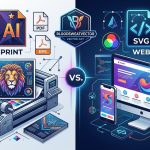
- Versatile formats: SVGs, EPS, and AI files work across web, print, and merchandise.
- Consistent branding: One master file feeds every platform, so your brand never looks disjointed.
The Three Step Process to Build a Vector Brand Kit
You do not need to be a professional illustrator to get started. Follow this simple process to build your own vector brand kit.
-
Start with a hand drawn sketch. Grab a pencil and paper. Draw your logo idea, your icon, or your mascot. Do not worry about perfection. Focus on the core shape and feeling you want to convey. Scan it or take a photo with your phone.
-
Trace it in vector software. Use a tool like Adobe Illustrator, Affinity Designer, or a free alternative like Inkscape. Import your sketch and use the pen tool to trace the lines. This turns your rough drawing into clean, scalable paths. If you want to learn the details, check out our guide on mastering vector art techniques for stunning digital creations.
-
Export your files for every platform. Save your master file in AI or EPS format. Then export an SVG for your website, a PNG for social media, and a PDF for print. Keep all versions organized in one folder. You will thank yourself later.
Common Mistakes Small Businesses Make (And How to Fix Them)
Even with the best intentions, small business owners often trip over the same hurdles. Here is a table of the most common mistakes and how vector art helps you avoid them.
| Mistake | Why It Happens | How Vector Art Fixes It |
|---|---|---|
| Using low resolution images | Downloading free logos or photos from the web | Vector files are resolution independent, so they never pixelate |
| Inconsistent colors across platforms | Manually picking colors each time | Vector files store exact hex and CMYK values in one master file |
| Crooked or misaligned text | Relying on text boxes in templates | Vector outlines convert text to shapes, so fonts never break |
| Blurry printed materials | Enlarging a small raster image | Vectors scale up cleanly to any print size |
| Wasting time recreating assets | Losing original files or formats | One vector master file exports to every format needed |
How to Get Started Without a Big Budget
You do not need expensive software or a design degree. Free tools like Inkscape and Vectr let you create professional vector art for small business branding right now. YouTube is full of tutorials that walk you through the basics.
If you want to hire someone, look for a freelance vector artist on platforms like Fiverr or Upwork. Ask for a portfolio that shows clean, scalable work. A simple logo package with an SVG and PNG file often costs under $100. That is a fraction of what you would pay for a full agency retainer.
“Vector art is the single best investment a small business can make in their visual identity. It is the difference between looking like a hobby and looking like a real company.” — Jenna Torres, freelance brand designer
Once you have your vector files, you can use them everywhere. Your website, your email signature, your packaging, your social media profiles, your vehicle wrap. Each use reinforces your brand without additional design costs.
The Tools Every Small Business Owner Should Know
You do not need to master every tool, but knowing a few will save you hours. Here are the most practical ones for 2026.
- Adobe Illustrator: Industry standard, powerful, but requires a subscription.
- Affinity Designer: One time purchase, no subscription, very capable.
- Inkscape: Completely free, open source, great for beginners.
- Canva (vector export): Canva now supports SVG export in paid plans, useful for simple edits.
- SVGOMG: A free online tool to compress SVG files for faster website loading.
If you are curious about the latest trends in the field, read our article on top trends in vector artwork that every designer should know.
How to Maintain Your Vector Brand Kit Over Time
Your brand will evolve. You might change your color palette, update your tagline, or add a new product line. With raster images, those changes mean redesigning everything from scratch. With vector files, you open the master file, make the edit, and re export.
Set a reminder every six months to review your brand kit. Check that your logo still feels right, your colors match your website, and your SVG files are optimized for load speed. Keep a folder on your cloud drive labeled “Brand Assets” with subfolders for Logos, Icons, Patterns, and Templates. Share that folder with anyone who creates content for your business.
Why 2026 is the Year to Switch to Vector Art
The design world is shifting. More brands are moving toward clean, scalable, minimalist visuals. AI tools can generate vector ideas, but they still need a human touch to refine them. Small businesses that adopt vector workflows now will have a huge advantage as the market gets more crowded.
Consumers notice consistency. When your Instagram post matches your packaging matches your website, you build trust. Trust leads to sales. Vector art makes that consistency effortless.
Your Next Steps Toward a Stronger Brand
You have the knowledge. Now it is time to act. Start with one asset, your logo. If it is currently a JPEG or PNG, convert it to a vector. Use an auto trace tool or hire a freelancer. Once you have a clean vector logo, export it as an SVG and replace the old image on your website. Then update your social media profiles. Then your email signature.
Each small step builds momentum. Before you know it, your brand will look cohesive, professional, and ready to grow. And you will have done it without breaking the bank or spending countless hours fighting with design software.
For more inspiration on building your visual identity, check out our showcase of innovative vector artists shaping the future of digital design.
Vector art is not a luxury. It is a tool that puts professional branding within reach of every small business owner. Start today. Your future self, and your customers, will thank you.